
Every email,
in any file.
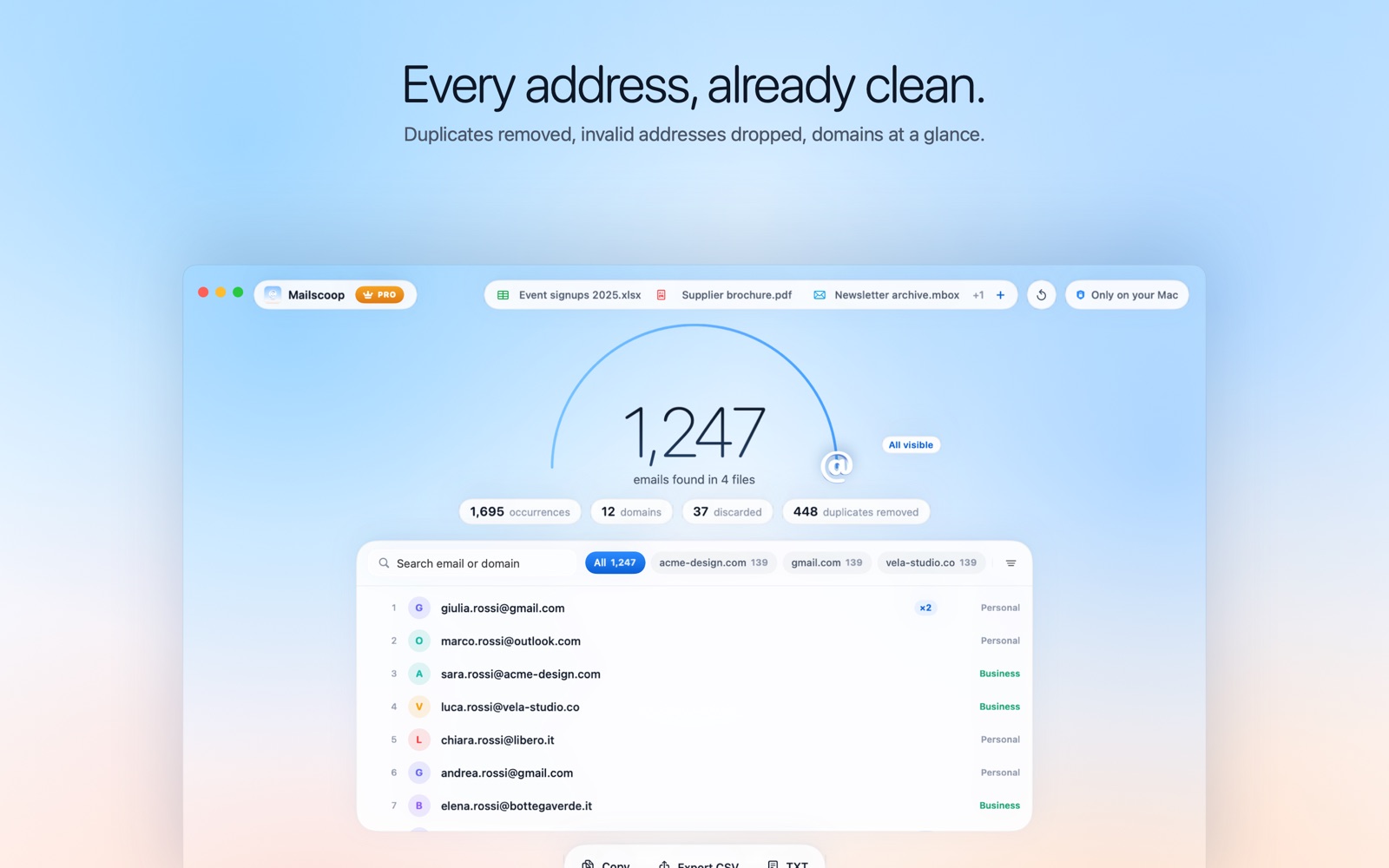
Drop in PDFs, Word, Excel, mailboxes, ZIP archives or scans: Mailscoop finds every address, removes duplicates and hands them to you clean.
Download on the Mac App Store 🔒 Your emails never leave your Mac, and never end up inside an AI.Free for the first 50 emails of every extraction · macOS 14 or later
Why choose Mailscoop.
Because what's in your files is your business.
🔒 Your emails stay on your Mac.
Not in the cloud. Not inside an AI.
Online extractors and AI assistants ask you to upload your documents: contracts, client lists, whole mailboxes. Once they're uploaded, you no longer control where they go, who reads them, or whether they end up training someone's model. Mailscoop works the other way around: it reads your files on your Mac, and that's where they stay. We couldn't see your data even if we wanted to.
- Never uploaded
- Never fed to an AI
- Never shared or sold
- No account, no tracking
Works offline
On a plane, on a train, with Wi-Fi off. Mailscoop doesn't need the internet, and doesn't even have permission to use it.
Every format, even scans
PDF, Office, CSV, mailboxes, ZIP archives and scanned documents, with text recognition that runs on your Mac.
Results you can use
Duplicates merged, fake addresses dropped, domains at a glance. Export to your CRM in one click.
Honest pricing
Free for the first 50 emails of every extraction. Then from €9.99 a year, or pay once and keep it forever.
Reads almost everything.
And gives you back only what matters.
PDFs, even scanned
Text recognition (OCR) reads scanned pages and photos of business cards.
Office and mail
Word, Excel, PowerPoint, RTF, CSV, MBOX, EML, vCard, HTML and ZIP archives.
Clean results
No duplicates, no fake addresses. It even finds hidden ones like "mario [at] rossi [dot] it".
Ready for your CRM
Filter by domain or business-only, then export to CSV or TXT in one click.
Built for every source.
Guides for the files you actually have.
Extract email addresses from PDF files →
Brochures, attendee lists, invoices, catalogues: if an email address is in a PDF, Mailscoop finds it — even when the PDF is a scan.
Extract emails from Excel and CSV →
Messy spreadsheets with addresses scattered across columns, notes and merged cells? Mailscoop reads every cell and gives you one clean list.
Extract addresses from mailboxes (MBOX, EML) →
Years of correspondence contain thousands of contacts. Export a mailbox and let Mailscoop collect every address in it.
Extract emails from scans and images with OCR →
Business cards, scanned forms, screenshots of web pages: Mailscoop reads the text in images and pulls out the email addresses.
Absolute privacy.
Your files never leave your Mac.
Mailscoop has no servers. No accounts, no analytics, no ads, and no content is ever sent anywhere. The app runs in the macOS sandbox without permission to access the internet: it reads the files you choose, on your computer, and that's it. Purchases are handled by Apple.
Honest pricing.
Try it free, pay only if you need more.
Free
Plus
Pro
Lifetime
Monthly too: Plus €1.99 · Pro €3.99. Prices in euro including VAT; the App Store shows them in your local currency.
Frequently asked questions
Is Mailscoop free?
Yes. You can download it for free: it shows the total number of emails found and unlocks the first 50 of every extraction. Plus, Pro and Lifetime unlock more.
Does Mailscoop upload my files?
No. Mailscoop works entirely on your Mac, has no servers and doesn't even have permission to access the internet.
Are my emails sent to an AI?
Never. Mailscoop doesn't use any cloud or AI service: your files and the addresses found are never uploaded, never used to train an AI and never shared with anyone.
Which file types are supported?
PDF (including scanned PDFs via OCR), Word, Excel, PowerPoint, OpenDocument, RTF, CSV, TXT, HTML, JSON, XML, vCard, MBOX, EML, EMLX, ZIP archives and images.
Can I export the results?
Yes: export to CSV or TXT, or copy the list to the clipboard.
Is extracting emails legal?
Extracting addresses from your own documents is fine. Sending messages to them must comply with GDPR and anti-spam laws, which usually means having consent.